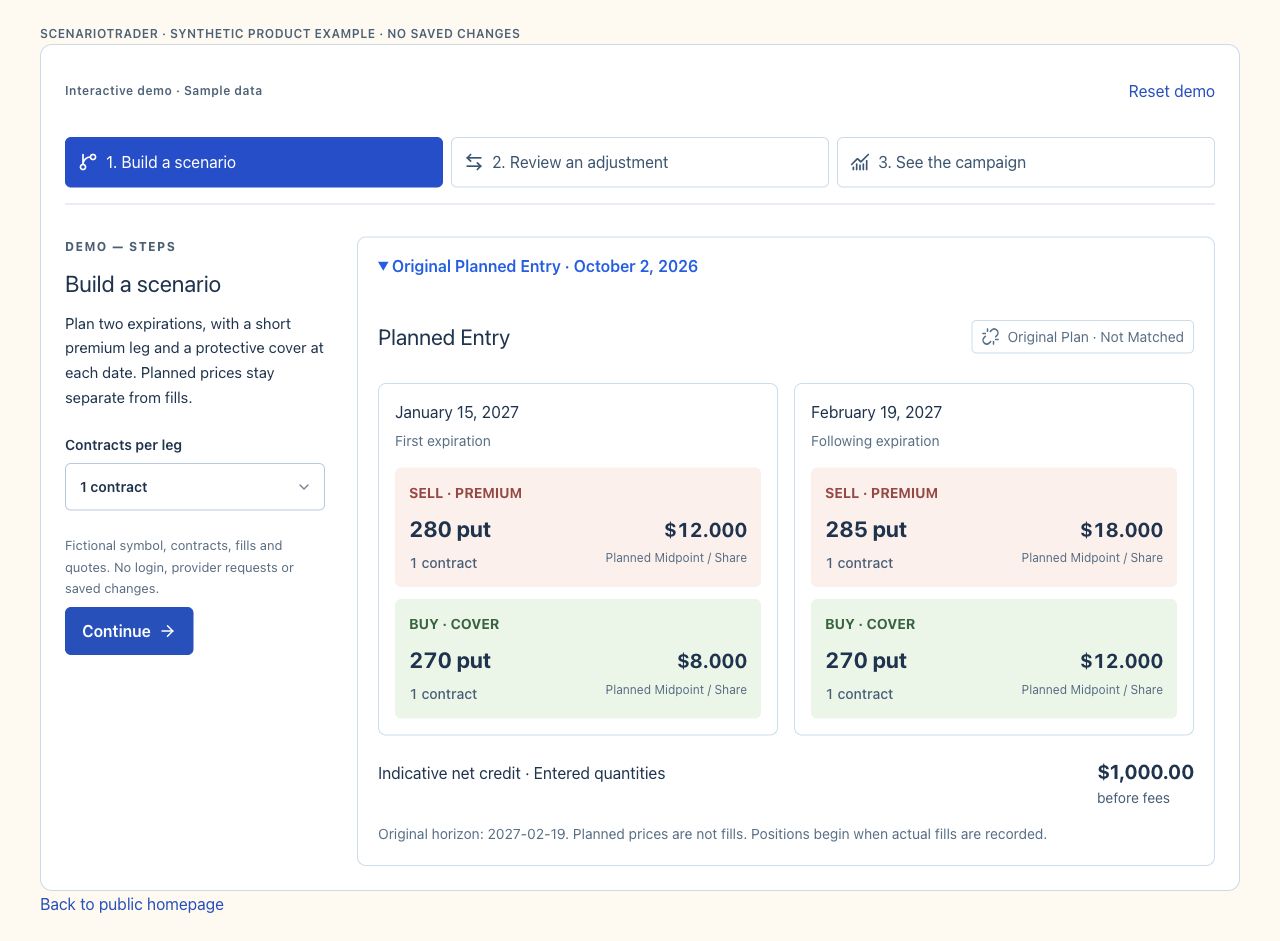
Planned Entry
Original Plan · Not MatchedJanuary 15, 2027First expiration
February 19, 2027Following expiration
Original horizon: 2027-02-19. Planned prices are not fills. Positions begin when actual fills are recorded.
Loading…
ScenarioTraderFROM RESEARCH TO THE FINAL CLOSE
Find an idea in news, follow it in your watchlist, and explore an entry in Charts. Save a Workspace Scenario, plan alternative paths, then add a Trade and match brokerage fills while preserving the original plan.
Free Membership · No card required.
Planning and records—not brokerage order execution.

TRY THE WORKFLOW
Explore a sample campaign before you sign in. In your workspace, start in Charts or add a Scenario directly, then progress to tracking when you are ready.
DEMO — STEPS
Plan two expirations, with a short premium leg and a protective cover at each date. Planned prices stay separate from fills.
Fictional symbol, contracts, fills and quotes. No login, provider requests or saved changes.
Original horizon: 2027-02-19. Planned prices are not fills. Positions begin when actual fills are recorded.
RESEARCH · SCENARIOS · TRADES
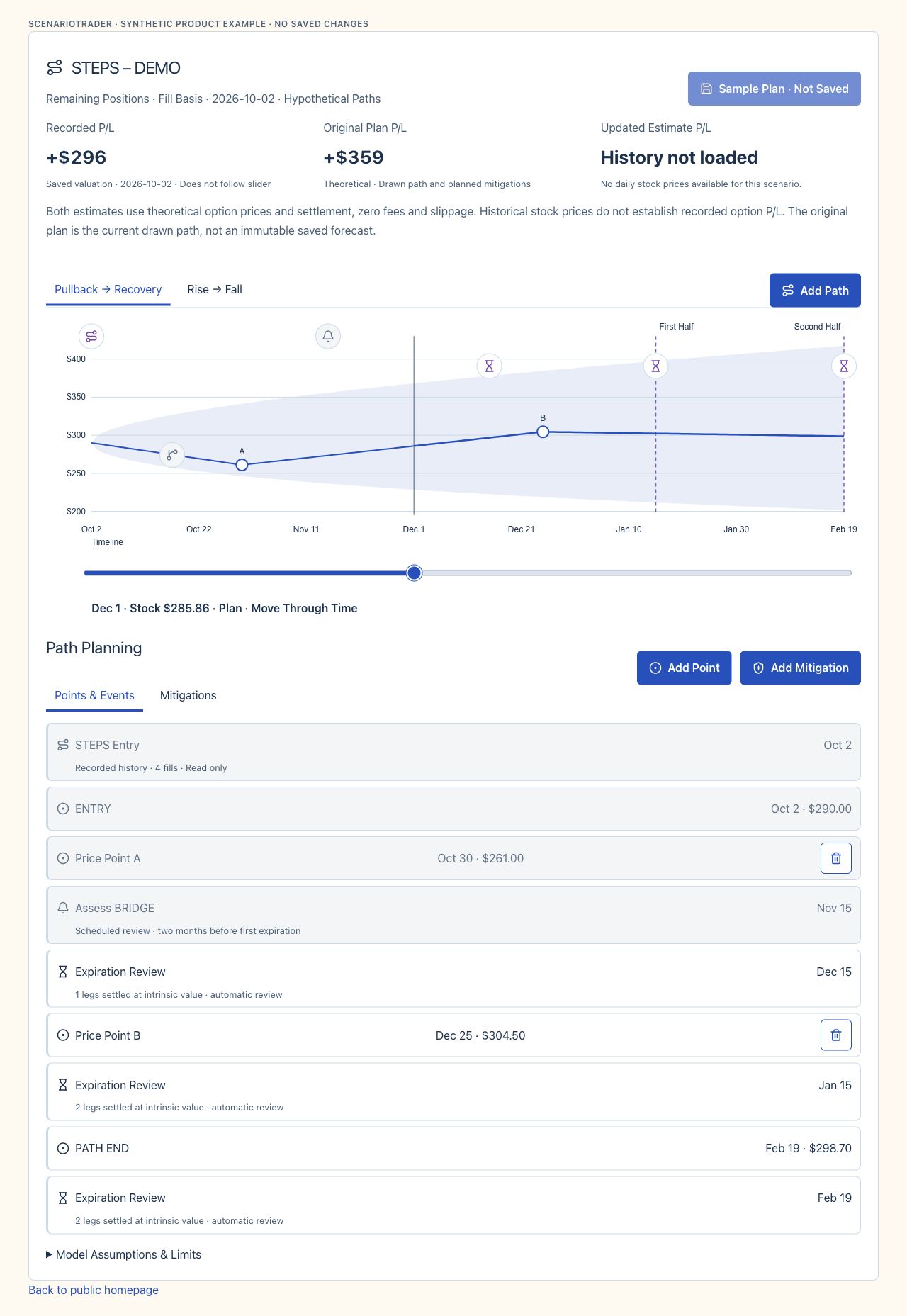
Workspace has Scenarios for ideas and paths, and Trades for execution tracking. A linked Trade remains available in Workspace and its brokerage portfolio; the original Scenario stays intact.
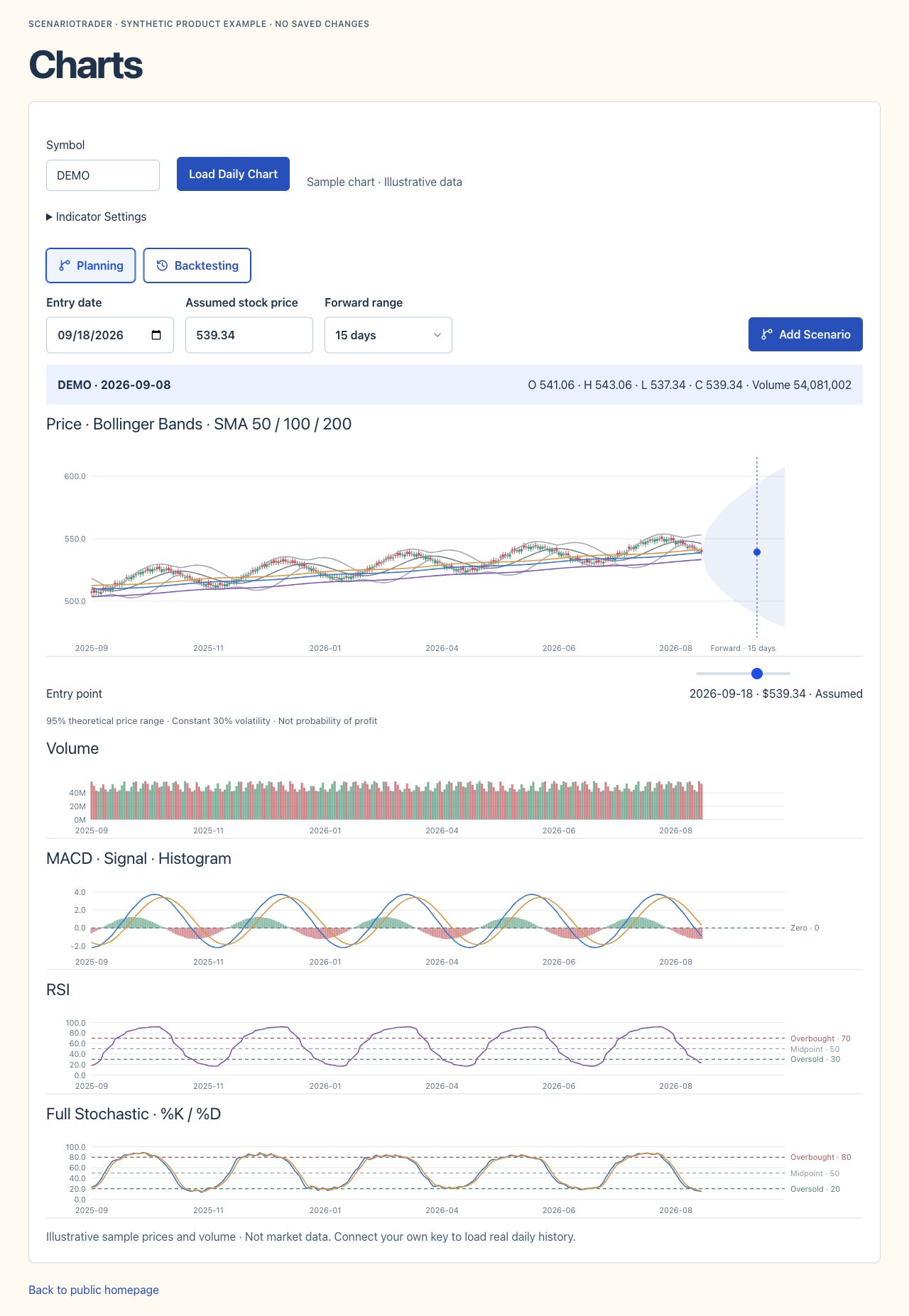
Carry a Planning or Backtesting chart point into Add Scenario. Review editable STEPS, FLOOR and POPPER templates or start manually, then explore alternative paths and planned mitigations in Workspace.
Product view · Synthetic data
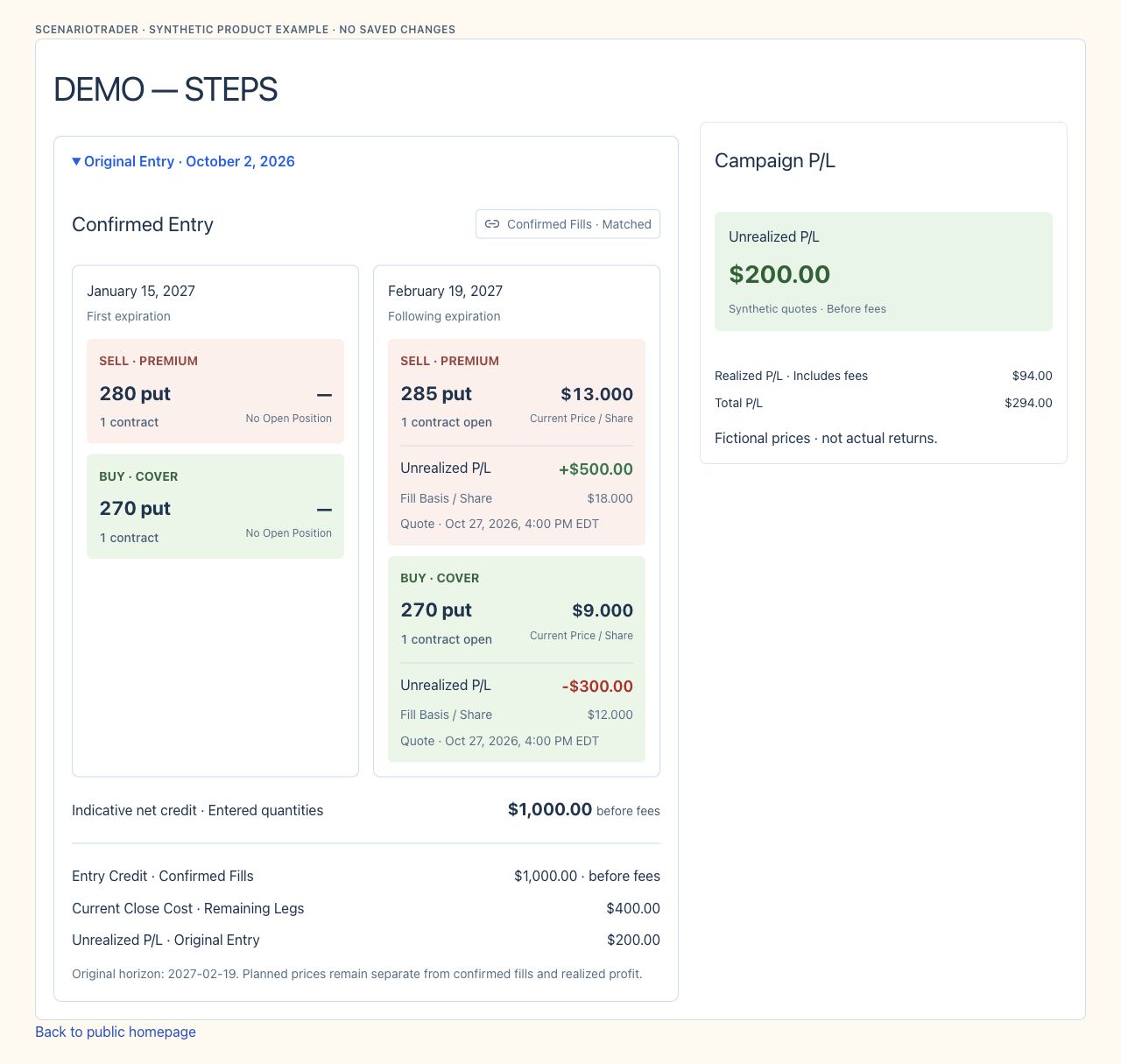
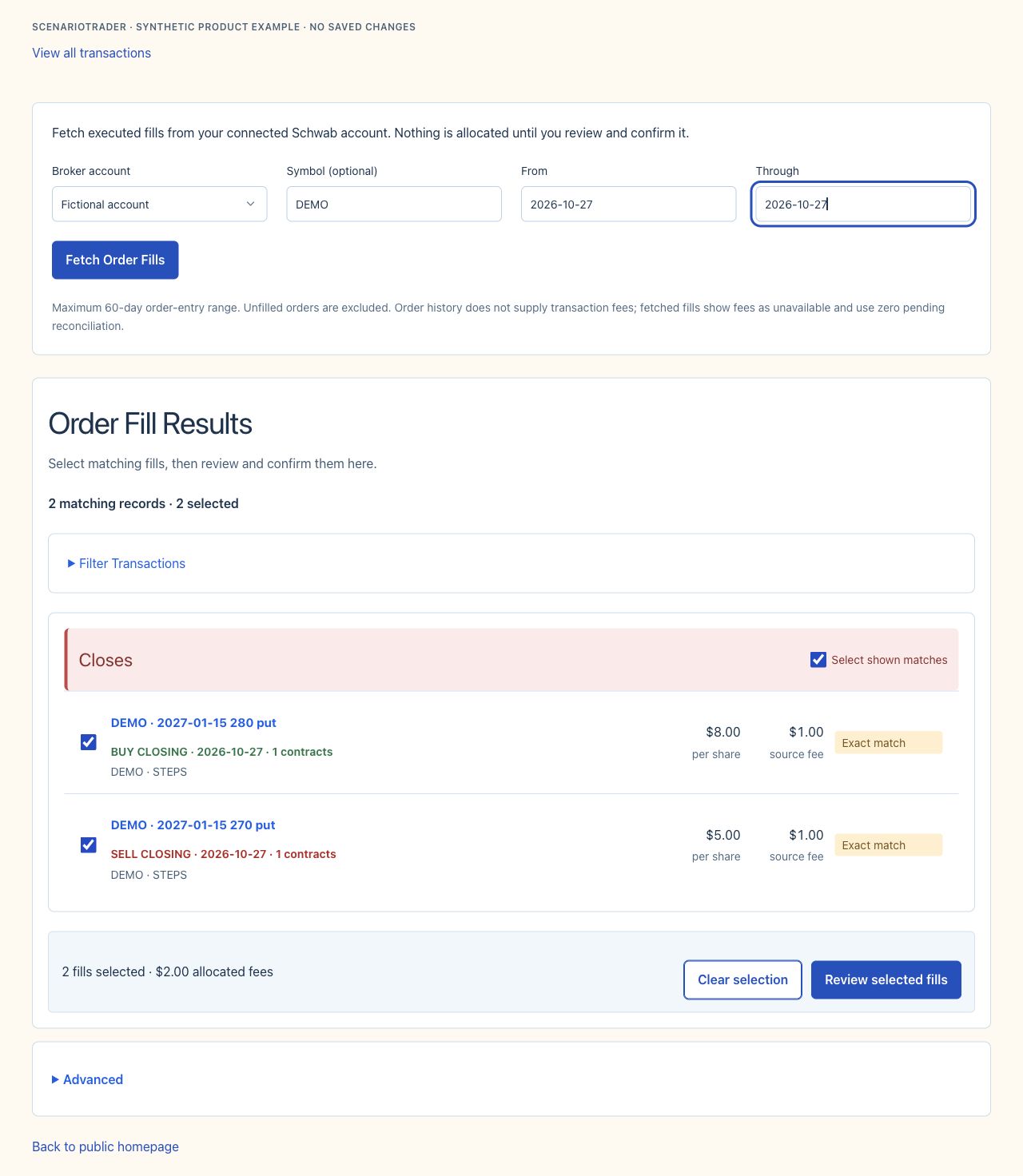
Add Trade keeps your original Scenario. Assign the Trade to a connected portfolio, review the account and execution date, then match actual fills. Manually recorded trades remain distinct from brokerage-matched results.
Product view · Synthetic data
See remaining positions, realized and unrealized P/L, recorded fees, and quote timestamps. Adjustments stay connected to the original entry instead of becoming disconnected trades.
Product view · Synthetic data
Move from news to your watchlist and open a symbol’s chart with one click. Keep candles, Bollinger Bands and momentum panels visible while choosing a potential or historical entry point. Forward cones and price overrides are hypothetical inputs; data availability depends on your tier and providers.

Follow practical guides from chart entry points through Scenarios, paths, Trades and brokerage matching. Learn the preset construction rules and how to read price sources and campaign results.
Discuss ideas and share selected snapshots with the community. Private campaigns and provider credentials stay separate from what you choose to share.
ScenarioTrader does not place, route, execute, modify, or cancel brokerage orders. Your broker’s records control actual executions and positions.
Scenario and simulation outputs are hypothetical. Assumptions, modeled prices, liquidity, changing volatility, fees, slippage, and assignment risk can cause actual outcomes to differ. Examples do not predict returns. Available features and data depend on your access and providers.
Read the full Terms of Use & Privacy Notice